arm mac on arm mac
last updated: Feb 03, 2026
For work, I needed to test a mac setup script which required a clean mac installation.
Rather than try to blow up my own computer and start fresh, I wanted to use a VM.
UTM
I had success with UTM
- I needed an IPSW image, so I found ipsw.me which catalogs them
- The download was failing in firefox, so I found they had an API
curl 'https://api.ipsw.me/v4/devices' | jqlisted the devices, and I chose an identifierMac16,8. The website listed an image id as25C56curl 'https://api.ipsw.me/v4/ipsw/download/Mac16,8/25C56'returned a link to updates.cdn-apple.com with a restore imagecurl 'https://updates.cdn-apple.com/2025FallFCS/fullrestores/093-37399/E144C918-CF99-4BBC-B1D0-3E739B9A3F2D/UniversalMac_26.2_25C56_Restore.ipsw' -o UniversalMac_26.2_25C56_Restore.ipswto download that image
- I created an image based on that ipsw file, and went through the install setup, which was slow but worked fine
- I added a shared directory in the UTM UI, and had to shutdown and restart the image, at which point it was in
/Volumes/My\ Shared\ Files - I did a whole bunch of installs before I figured out that they key move is to:
- do the whole install procedure
- clone the VM in the UI by right-clicking on the image and selecting "clone"
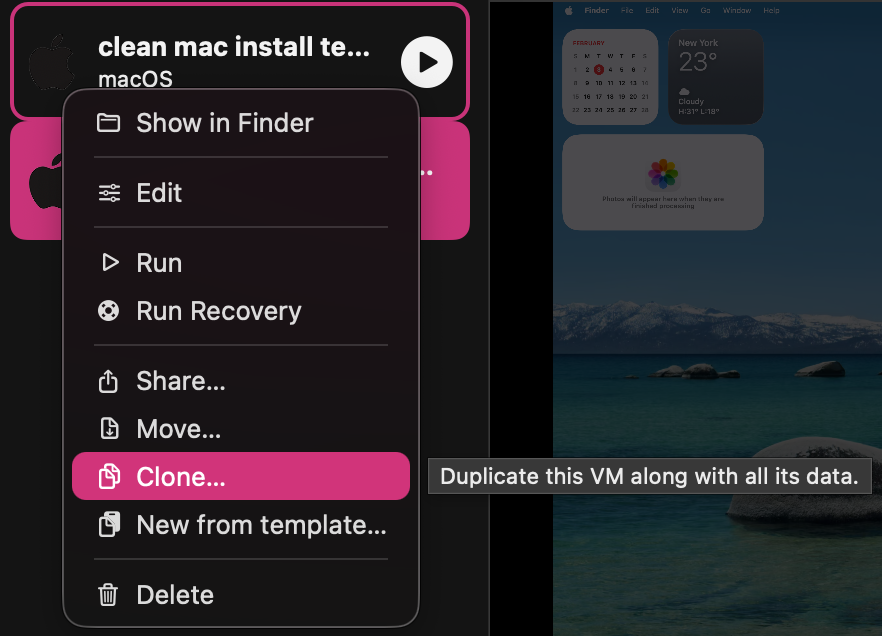
- Then, when you want to create a new VM, you clone your template and change it from there.
- I don't know what "new from template" means, and I should probably inveestigate how to make an actual template! But cloning has worked for me
- Install
Guest Toolsto enable copy + pasteVirtual machine -> Drives -> Install Guest Toolswill prompt to attach a drive to the VM- open it up and double-click the installer to run it, and do the installation
- now copying on the guest should be available on the host, and vice versa
Tart
I tried tart first, but didn't succeed
Install went smoothly:
brew install cirruslabs/cli/tart
tart clone ghcr.io/cirruslabs/macos-tahoe-base:latest tahoe-base
tart run --dir=setup-tree:~/project/setup-tree tahoe-base
With the --dir argument in place, tart mounted my directory to /Volumes/My\ Shared\ Files/setup-tree which is a bit of a weird directory but good enough.
Unfortunately, my setup script uses homebrew, and brew ran so slowly in the VM that it wasn't able to succeed at installing a few packages.